Run every class from one phone.
Station workouts across every TV in the room, timers that keep the class moving and the music under control. The coach stays on the floor, not behind a laptop.
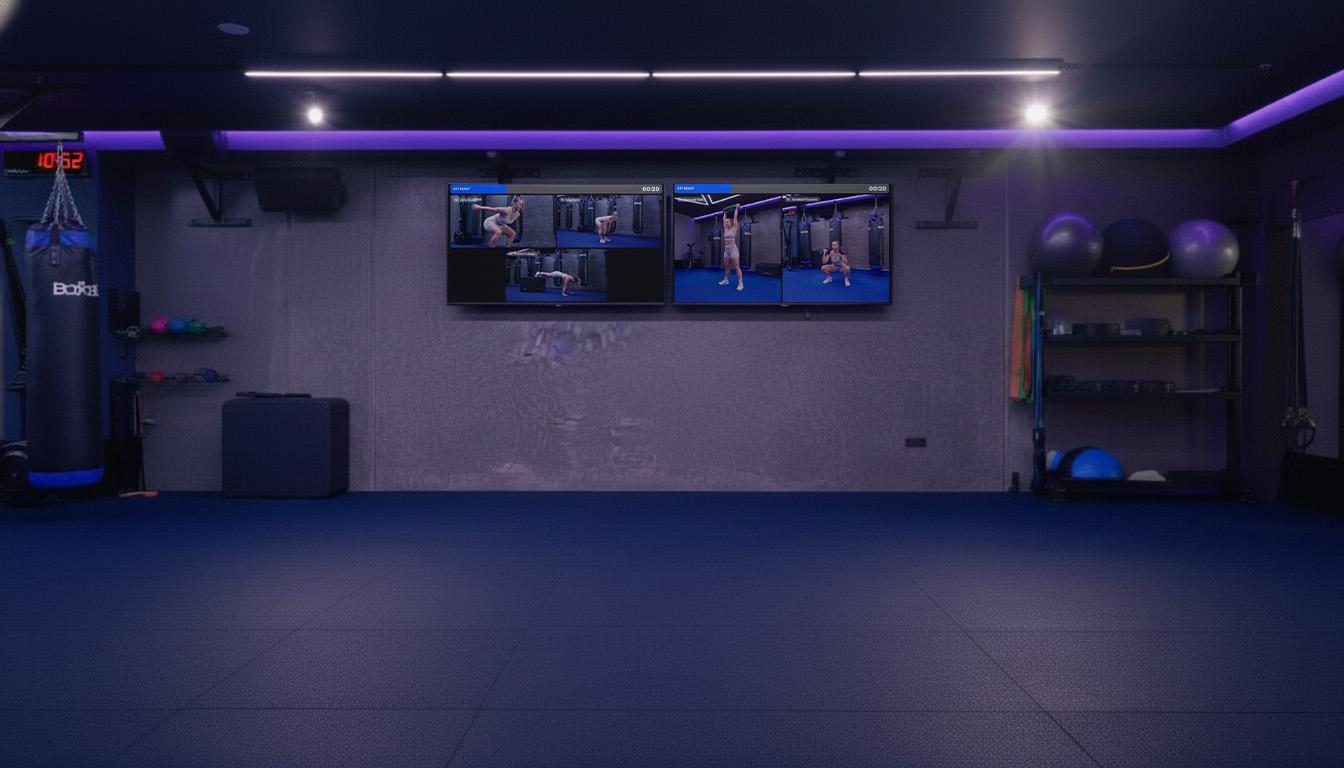
Every screen gets its own zone.
Build a station workout once and spread it across the room. Each TV shows the stations in its zone, so members always know where to go next.
Kettlebell swing
15 reps
Box step-up
10 each
Push-up
12 reps
Row erg
250 m
Each extra screen shows its own zone.
Station, group or exercise layouts
2×2 stations, side-by-side stations, or one movement for the whole room.
One workout, many TVs
Add screens as the room grows. Each one is set to a zone, and they all run off the same clock.
Built in your workout builder
Stations and blocks come straight from the same builder your coaches already use for programs.
Timers that keep the whole room moving.
Work and rest are on the wall in letters members can read from the back row. Warm-ups, coaching notes and what's next are all there too.
- Timer ring with work and rest intervals
- Warm-up slideshows before the first round
- Coaching notes on each station
- Screensaver with your branding between classes
Round 2 of 4 · Work
Kettlebell swing
15 reps · keep the hips snapping
Up next
Box step-up · 10 each
0:26
work
Work
40s
Rest
20s
Rounds
4
Runs on kit you can buy today.
No proprietary boxes. Plug in what suits the room, enter a pairing code and the screen is ready for class.
iPad driving a TV
Connect an iPad to the TV and run the class from it. Good for single rooms and pop-up spaces.
Mini PC behind the TV
Mount a small PC out of sight and leave it running. Good for permanent studios with several screens.
Pairing codes
Each screen shows a short code. Enter it once and that TV belongs to that room and zone.
The music, under control.
Change the playlist, skip a track or pull the volume down for a cue without leaving the class. Music access is built in, so the playlist and the volume live in the same controls as the workout.
- Pick playlists, play, pause, skip and see what is playing
- Separate levels for music, timer beeps, mic and Bluetooth, with fades
- A max-volume ceiling so the room never gets too loud
- PC mixer for rooms run from a mini PC
Now playing
Morning Strength playlist
Room mixer
Max 85%Music
Beeps
Mic
Bluetooth
Example screen
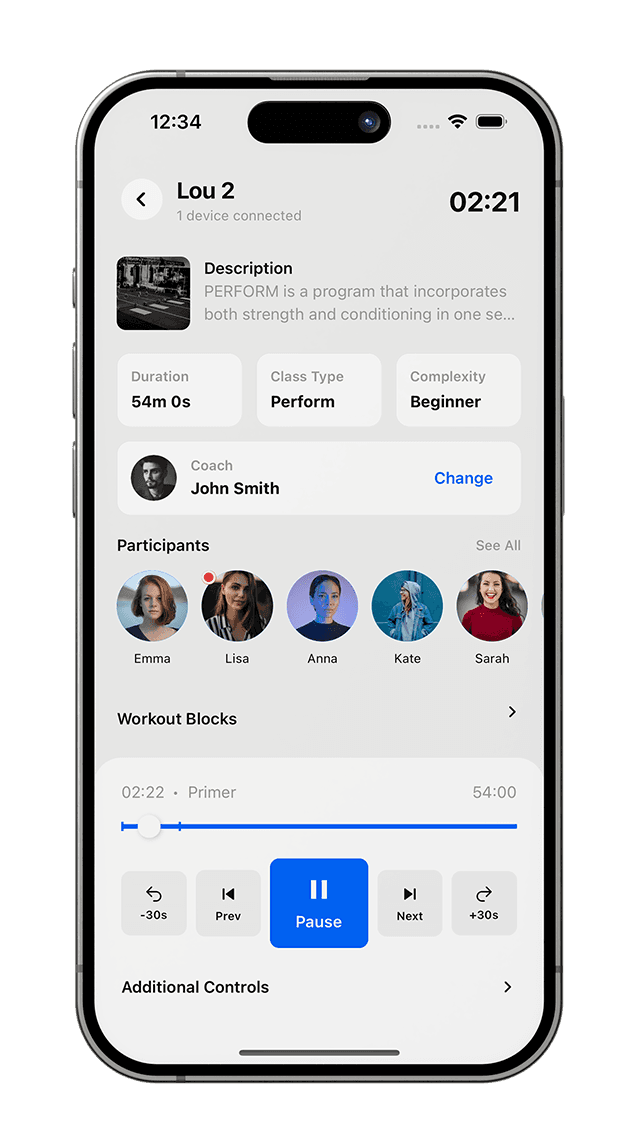
The coach runs it from their phone.
Staff mode in your app puts the whole class in the coach's pocket: who's booked, who's arrived, and the controls for the screens and music.
- Today's classes and the participant list
- Check members in and book a guest at the door
- Launch the class to the screens, then start, pause and move through it
- Music controls on the same screen
Members leave with their class recap.
A QR code goes up on the screen at the end of class. Members scan it to open the workout they just did in your app and log how it went.
- Class-recap QR on the final screen
- The workout saved in their app, with PBs logged against it
- Attendance lands on their calendar and the class leaderboard
Great work
Scan for your class recap
Class recap
6:00am Strength
Goblet squat
3 × 12 · 24 kg
Renegade row
3 × 8 · 14 kg
Wall ball
3 × 15 · 9 kg
The details that make class day easy.
Today's class on screen
Screens know the timetable and load the right workout for each class.
Participant list
See who is booked and who has arrived before the warm-up starts.
Book a guest
Add a friend or walk-in to the class from the coach’s phone.
Floor-plan editor
Lay out stations to match the room so the screens match what members see.
Put your best class on every screen.
Station workouts, timers and music, run from one phone at the front of the room.